
Your country & currency

Make yourself at home. Choose your preferred shopping currency.

Your selected country opens its KickHost website. Your shopping currency is saved. Visit country website .

Available on Android & iOS

Your email, beautifully connected.

MyEmail is a KickHost app for Android and iOS, built in partnership with HostGuru. Connect your mailbox over IMAP, POP or SMTP and keep every conversation in one calm place, on your phone, on your terms.
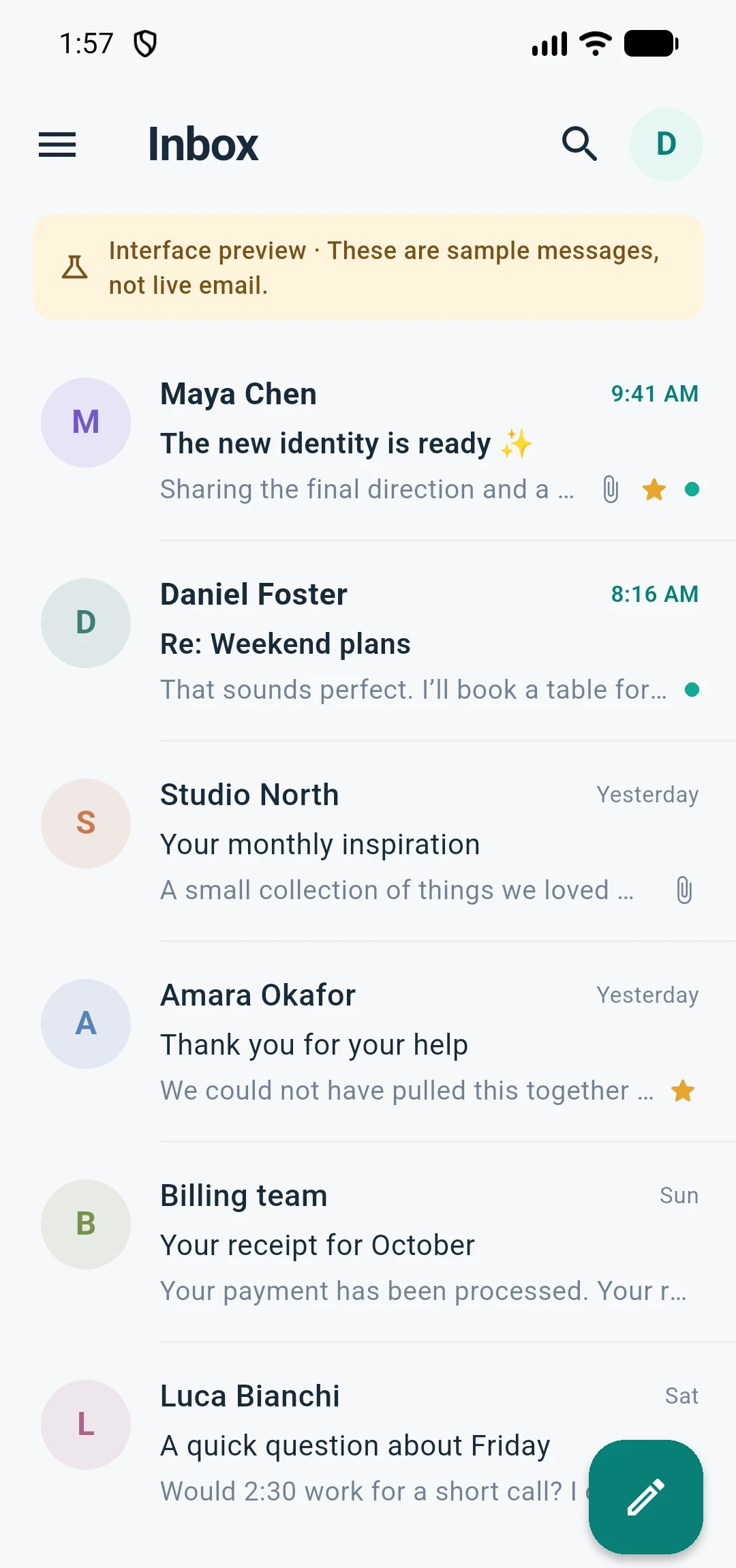
Actual MyEmail interface. Sample mailbox shown.

  • Android & iOS
  • TLS-protected connections
  • Multiple accounts

WHAT MYEMAIL DOES

A calmer place for every conversation.

Everything you expect from a modern email client, arranged around the way you actually read and reply from your phone.

Every mailbox in one place

Add, switch, reconnect and remove accounts whenever you need. Each mailbox keeps its own server settings, signature and identity.

Multi-account

Your folders, as they are

MyEmail reads your server’s folder layout, so Inbox, Sent, Drafts and custom folders stay where you expect them, with read state in sync.

IMAP folders

Write without leaving the thread

Reply, Reply All, Forward, multiple To, CC and BCC recipients, server drafts and a signature for each mailbox.

Compose

Send on your schedule

A five-second Undo Send gives you a moment to change your mind. Scheduled messages wait in an encrypted queue on your device.

Undo & schedule

Attachments, without the shuffle

Pick files with your phone’s own document picker, preview incoming images and text, and send up to 10 files or 15 MB in one message.

Files

Your inbox, your business

An encrypted offline cache keeps recent mail close by, while an optional app lock uses your phone’s biometrics or passcode.

On-device privacy

Use MyEmail with your existing mail provider — no KickHost mailbox required.

YOUR MAILBOX STAYS YOURS

Direct connections.
No detours.

MyEmail talks straight to the mail server you choose. Your mailbox credentials are not sent to KickHost, and your email is not routed through us to reach your inbox.

Optional device protection adds a second layer: an encrypted offline cache and an app lock backed by your phone’s biometrics or passcode.

  • TLS-protected connectionsIncoming IMAP or POP and outgoing SMTP traffic is encrypted in transit.
  • Credentials stay on your deviceServer settings and optional secure password storage live with you, not in a KickHost dashboard.
  • Encrypted offline cacheRecent mail can stay available on the device without being stored in plain text.
  • App lock when you need itProtect the app with biometric or device authentication before anyone reads your mail.

GETTING STARTED

From download to inbox in three steps.

MyEmail works with an existing mailbox. Add your address once and the app can attempt to discover the right server settings for you.

1

Add your email address

Enter your address and password. MyEmail attempts provider discovery so most mailboxes connect without extra settings.

Works with IMAP and POP accounts
2

Confirm your server

If discovery cannot finish the job, set incoming IMAP or POP and outgoing SMTP manually. TLS port defaults are provided.

Independent incoming and outgoing settings
3

Read, reply and send

Your inbox and folders load, read state stays in sync, and replies send through your own SMTP server.

Add more mailboxes whenever you need

Good questions.
Straight answers.

Everything you need to know before you connect your first mailbox.

Talk to our team
Will MyEmail work with my current email address?
MyEmail supports IMAP and POP for incoming mail and SMTP for sending. If your mail provider offers those, you can add the mailbox — including business email hosted on cPanel or Roundcube. Your provider may need to allow mail-client connections first.
Is MyEmail available in the App Store or Google Play?
MyEmail is available now for Android and iOS. Download it from the App Store or Google Play, add your email address and start reading in minutes.
Is MyEmail owned by KickHost?
Yes. MyEmail is owned and operated by KickHost and built in partnership with its partner company, HostGuru.
Does KickHost see my email or password?
No. MyEmail connects directly to your mail server over TLS-protected IMAP, POP or SMTP, and mailbox credentials are not sent to KickHost. Your mail does not pass through KickHost to reach your inbox.
Can I use more than one mailbox?
Yes. You can add, switch, reconnect and remove mailbox accounts. Each account keeps its own ID, server settings, signature and optional secure password storage.
What happens when I lose connectivity?
Recent mail can stay available through an encrypted offline cache. Messages you send while offline wait in an encrypted outbox, and scheduled delivery runs on a best-effort basis — a message may be late if your phone suspends the app.
Is there a calendar too?
An early CalDAV calendar is included: discover calendars, read events in a date range and create events. Recurrence, invitations, editing and background alerts are still being developed.
Do I need a KickHost mailbox to use MyEmail?
No. MyEmail works with your existing IMAP, POP or SMTP mailbox, whichever provider you use. It also connects to KickHost business email on your own domain just as easily.

READY WHEN YOU ARE

Your mailbox already has a home.

Business email on your own domain is available from KickHost today. It works with MyEmail and every other mail client you already use.