
Your country & currency

Make yourself at home. Choose your preferred shopping currency.

Your selected country opens its KickHost website. Your shopping currency is saved. Visit country website .

Guide

How to Update cPanel Contact Information and Receive Resource Limit Notifications

If you want to receive a notification on reaching your disk quota, bandwidth usage limit or wish to update the cPanel’s contact information, follow these steps.

Share

If you want to receive a notification on reaching your disk quota, bandwidth usage limit or wish to update the cPanel’s contact information, follow these steps.

1. Log in to your cPanel account.

2. In the Preferences section, click on Contact Information.

3. Add or update your primary email address to receive account notifications and password reset confirmations. You can optionally add a secondary email address.

4. Enter your cPanel password and click Save.
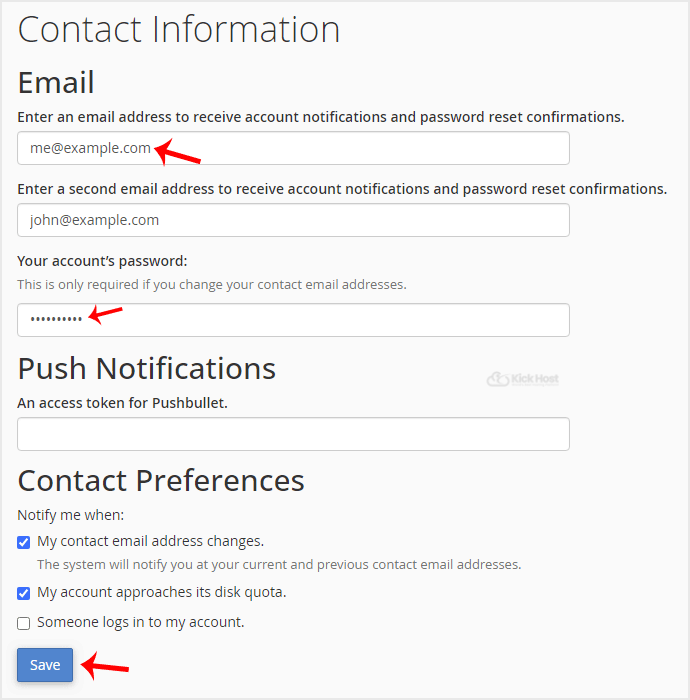
Your email address has been updated.

Found this useful? Share it.

Need a hand with this?

Our team can help you choose the right domain, hosting or server and set it up properly.

Talk to our team See hosting plans