
Your country & currency

Make yourself at home. Choose your preferred shopping currency.

Your selected country opens its KickHost website. Your shopping currency is saved. Visit country website .

Guide

How to Delete an Account Level/Global Email Filter in cPanel

Learn how to delete an Account Level/Global Email Filter in cPanel.

Share

1. Log in to your cPanel account.

2. In the Email section, click on Global Email Filters.

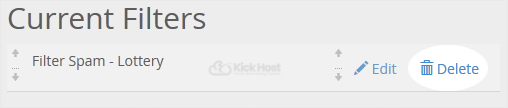
3. Under Current Filters are displayed all existing filters. Click Delete next to the appropriate one.
4. Now click on Delete Filter to remove your filter.

Found this useful? Share it.

Need a hand with this?

Our team can help you choose the right domain, hosting or server and set it up properly.

Talk to our team See hosting plans